Can you take the call?

Best New York hotels for wifi that survives a video call

In New York, Club Quarters Hotel Grand Central, New York tops our ranking with a 4.3/5 work-wifi score from 26 guest reviews that mention the connection. We read reviews for 844 New York, New York hotels with Otto's insight engine and scored each on work-wifi reliability: speed, drop-outs, dead zones, and hidden fees. Here are the 100 with enough evidence to rank.

Ranked hotels
100
≥ 10 wifi mentions
Work-ready
47
Score 3.5+
Bring a hotspot
0
Score under 3.0
Wi-Fi fee reported
10
Often waived on direct

Showing 100 of 100 ranked New York hotels · scored from 844 properties with ≥ 10 wifi mentions

#1
4.3/5
Work-ready

Club Quarters Hotel Grand Central, New York

4-star4.2 (1,656)176–25126 on wifi
$$

Internet connectivity is a major strength, with fast, reliable Wi-Fi easily supporting video calls throughout the property. Rooms also feature Ethernet ports for secure, hardwired VPN connections.

What reviewers say

Works well: Fast and reliable for video calls; Ethernet ports available in rooms; Strong signal in communal workspaces.

#2
4.2/5
Work-ready

citizenM New York Times Square

4-star4.5 (2,742)252–37027 on wifi
$$$

Complimentary, password-free internet is fast and reliable throughout the property. The connection easily supports video calls and VPN access for remote work.

What reviewers say

Works well: Stable connection suitable for video calls; Seamless, password-free access.

#3
4.2/5
Work-ready

Holiday Inn Express Nyc Chelsea - Nomad Area by IHG

3-star3.9 (2,388)174–29918 on wifi
$$

The complimentary Wi-Fi is fast and reliable throughout the property, easily supporting video calls and remote work.

What reviewers say

Works well: Strong, uninterrupted connection; Reliable in both rooms and public areas.

#4
4.2/5
Work-ready

Fairfield by Marriott New York Manhattan Times Square

3-star4.1 (2,664)252–33617 on wifi
$$$

The complimentary Wi-Fi is fast and reliable throughout the property. Guests confirm the connection easily supports remote work tasks and seamless streaming on in-room smart TVs.

What reviewers say

Works well: Strong connection suitable for remote work; Seamless streaming on in-room TVs.

#5
4.1/5
Work-ready

Fairfield Inn & Suites New York Midtown Manhattan/Penn Station

4-star4.2 (2,214)297–38719 on wifi
Long-stay$$$

The complimentary Wi-Fi is high-speed and reliable throughout the property. It is fully capable of supporting VPN access, video calls, and streaming without connectivity drops.

What reviewers say

Works well: Reliable speeds suitable for remote work; Consistent coverage throughout guest rooms and public areas.

#6
4.0/5
Work-ready

Fairfield by Marriott Inn & Suites New York Manhattan/Central Park

3-star4.1 (1,835)216–33819 on wifi
Long-stay$$

Complimentary Wi-Fi is consistently reported as fast and highly reliable. Business travelers note it easily supports video conferencing and corporate VPN access without requiring a premium upgrade.

What reviewers say

Works well: Seamless connectivity for remote work; Sufficient speeds for video calls and streaming.

#7
4.0/5
Work-ready

Residence Inn by Marriott New York Downtown Manhattan/World Trade Center Area

4-star4.4 (1,534)168–25217 on wifi
DowntownLong-stay$$

Complimentary Wi-Fi is adequate for basic tasks, but remote workers consistently note that upgrading to the premium tier is necessary for stable video calls and VPN access.

Wi-Fi fee
What reviewers say

Works well: Reliable premium tier for heavy remote work; Communal lobby workspace with ample outlets.

#8
4.0/5
Work-ready

Best Western Premier Herald Square

3-star4.4 (1,811)180–24016 on wifi
$$

Complimentary Wi-Fi is consistently described as stable and reliable for standard remote work and video calls.

What reviewers say

Works well: Stable connection throughout the property; Sufficient speeds for video calls and VPN usage.

#9
4.0/5
Work-ready

citizenM New York Bowery hotel

4-star4.5 (1,859)200–37915 on wifi
$$

Complimentary Wi-Fi is exceptionally fast and reliable throughout the property, easily supporting video calls and VPN connections in both guest rooms and communal workspaces.

What reviewers say

Works well: Strong signal in the lobby co-working spaces; Reliable for video streaming and remote work.

#10
4.0/5
Work-ready

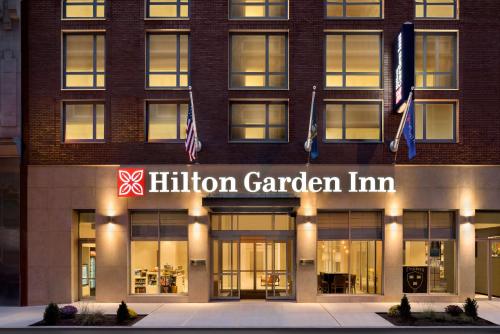
Hilton Garden Inn New York/West 35th Street

3-star4.2 (2,458)168–25214 on wifi
$$

The complimentary Wi-Fi is consistently reported as fast and reliable for standard browsing and general business needs.

What reviewers say

Works well: Fast and reliable connection for standard use.

#11
4.0/5
Work-ready

U.S. Pacific Hotel

1-star3.2 (575)100–11811 on wifi
$Value pick

The complimentary Wi-Fi is consistently reported as strong, fast, and reliable throughout the building, easily supporting video calls and remote work.

What reviewers say

Works well: Reliable connection suitable for video calls; Strong signal throughout the building with no major dead zones.

#12
4.0/5
Work-ready

John Hotel

3-star4.0 (1,060)142–24411 on wifi
$Value pick

Business travelers report that the in-room Wi-Fi is highly reliable and fast enough to easily support remote work needs without connectivity drops.

What reviewers say

Works well: Fast and reliable connection; No reported dead zones or drops.

#13
4.0/5
Work-ready

Hotel Giraffe by Library Hotel Collection

4-star4.6 (476)275–34811 on wifi
$$$

The complimentary Wi-Fi is reported to be strong and reliable in guest rooms, easily supporting work tasks and browsing without drops in service.

What reviewers say

Works well: Strong and reliable connection in rooms.

#14
4.0/5
Work-ready

Best Western JFK Airport Hotel

3-star3.8 (877)252–33610 on wifi
$$$

The complimentary Wi-Fi is generally reliable and strong enough for standard remote work and VPN use. Some guests report occasional buffering during peak evening hours.

What reviewers say

Works well: Stable connection for standard business tasks; Complimentary access throughout the property.

#15
3.9/5
Work-ready

Pod 39

3-star4.2 (4,030)168–25241 on wifi
$$

Remote workers consistently report that the complimentary Wi-Fi is fast, stable, and easily handles video calls and streaming without drops.

What reviewers say

Works well: Strong and reliable connection in rooms and common areas.

#16
3.9/5
Work-ready

The High Line Hotel

4-star4.2 (1,134)319–41413 on wifi
$$$

Guests report that the complimentary Wi-Fi is fast and reliable throughout the property, easily supporting video calls and remote work.

What reviewers say

Works well: Stable connectivity for corporate VPNs; Strong signal in both rooms and the courtyard.

#17
3.8/5
Work-ready

Hampton Inn Brooklyn/Downtown

3-star4.4 (2,682)258–33026 on wifi
Downtown$$$

The complimentary Wi-Fi is consistently reported as stable and fast enough to support standard remote work, VPN access, and video calls.

What reviewers say

Works well: Reliable connection for video calls.

#18
3.8/5
Work-ready

The Gregorian Hotel

4-star4.1 (1,191)188–25514 on wifi
$$

Wi-Fi is fast and reliable throughout the property. The network easily supports remote work demands, including VPN access and video conferencing.

What reviewers say

Works well: Consistently fast speeds; Reliable for video calls and VPNs.

#19
3.8/5
Work-ready

Hyatt Centric Times Square New York

4-star4.4 (3,482)218–25214 on wifi
$$

Connectivity is consistently fast and reliable throughout the building. The login process is straightforward, easily supporting remote work and standard business tasks.

What reviewers say

Works well: Fast and reliable speeds; Hassle-free login process.

#20
3.8/5
Work-ready

Cambria Hotel New York - Chelsea

3-star4.3 (1,752)197–25514 on wifi
$$

Complimentary Wi-Fi is available, but guest feedback suggests bandwidth may be limited and potentially insufficient for heavy remote work or video calls. Having a mobile hotspot as a backup is advisable if a stable, high-speed connection is critical.

#21
3.8/5
Work-ready

Life Hotel New York

4-star4.3 (967)185–35812 on wifi
$$

The in-room and common-area Wi-Fi is consistently described as fast and stable, easily supporting video calls and VPN access. Note that internet access is tied to a mandatory daily facility fee rather than being truly complimentary.

Wi-Fi fee
What reviewers say

Works well: Strong upload speeds suitable for video conferencing; Stable connection throughout the property.

#22
3.7/5
Work-ready

The Maritime Hotel

4-star4.4 (1,186)168–25214 on wifi
$$

Complimentary Wi-Fi is provided throughout the property. However, recent guest feedback lacks specific details regarding connection speeds or reliability for heavy business tasks like video conferencing.

#23
3.7/5
Work-ready

Fairfield Inn by Marriott JFK Airport

3-star4.0 (1,520)168–25210 on wifi
$$

Wi-Fi is available, though detailed guest feedback regarding speed and reliability for business use is limited.

#24
3.7/5
Work-ready

Fairfield by Marriott Inn & Suites New York Manhattan/Chelsea

3-star4.0 (940)250–32910 on wifi
Long-stay$$$

The complimentary Wi-Fi is functional and reliable for standard remote work tasks. Rooms also feature desks equipped with wired Ethernet ports for a more stable connection.

What reviewers say

Works well: Reliable connection for standard tasks; Wired Ethernet ports available at room desks.

#25
3.7/5
Work-ready

Sonder Battery Park Apartments Financial District

4-star4.3 (788)168–25210 on wifi
Long-stay$$

In-room Wi-Fi is a major strength, with speeds exceeding 600 Mbps. The network easily supports demanding remote work, corporate VPNs, and seamless video conferencing.

What reviewers say

Works well: Speeds exceeding 600 Mbps; Reliable connection for video calls and VPNs.

#26
3.6/5
Work-ready

Hampton Inn Manhattan/Times Square Central

3-star4.3 (3,646)260–36042 on wifi
$$$

The complimentary Wi-Fi is generally reliable and fast enough to support video conferencing and VPN access. Recent trends indicate a strong network suitable for remote work in both the rooms and common areas.

What reviewers say

Works well: Fast enough for video conferencing and streaming; Reliable connection in both rooms and common areas.

#27
3.6/5
Work-ready

Hotel Riu Plaza New York Times Square

4-star4.5 (11,568)292–34730 on wifi
$$$

The complimentary Wi-Fi provides fast and stable speeds suitable for video calls and remote work, though guests note you must manually connect the room's television to utilize streaming services.

What reviewers say

Works well: Fast and reliable speeds; Supports multiple devices without dropping.

#28
3.6/5
Work-ready

HI New York City Hostel

3-star4.4 (4,646)168–25223 on wifi
$$

Free Wi-Fi provides reliable coverage throughout the dorms and common lounges, with speeds sufficient for standard browsing and communication.

What reviewers say

Works well: Reliable speeds for standard browsing; Good coverage in dorms and common areas.

#29
3.6/5
Work-ready

Distrikt Hotel New York City, Tapestry Collection by Hilton

4-star4.0 (1,694)194–24022 on wifi
$$

The complimentary Wi-Fi is consistently praised as fast and reliable, easily supporting remote work, VPN access, and video calls. Staff are highly responsive to any isolated connectivity hiccups.

What reviewers say

Works well: Blazing fast speeds suitable for video conferencing; Reliable connection throughout the property.

#30
3.6/5
Work-ready

NY Moore Hostel

2-star4.2 (1,117)113–17021 on wifi
$Value pick

Complimentary Wi-Fi is generally reliable for basic tasks and video calls, with a dedicated computer room available as a quiet backup space. Occasional spottiness is reported but typically resolves quickly.

What reviewers say

Works well: Dedicated computer room provides a dependable workspace; Connection is stable across dorms and common areas.

#31
3.6/5
Work-ready

Courtyard by Marriott New York JFK Airport

3-star4.0 (1,758)222–26910 on wifi
$$

The complimentary Wi-Fi is reliable and fast enough for standard browsing, emails, and basic streaming. There are very few complaints regarding connectivity drops.

What reviewers say

Works well: Dependable connection for basic remote work tasks.

#32
3.5/5
Work-ready

Ace Hotel New York

4-star4.2 (3,776)156–21251 on wifi
$$Value pick

Wi-Fi performance is inconsistent across the property. While the lobby is a popular co-working space, the network can struggle under heavy user volume, and some guests report connectivity dropouts in their rooms that may disrupt video calls.

What reviewers say

The catch: Unreliable connectivity directly impacts remote work capabilities for business travelers.

Reported in: Guest rooms, Lobby.

Pro tip: Have a mobile hotspot backup if critical video calls are scheduled

#33
3.5/5
Work-ready

Pod 51

3-star4.1 (4,007)111–15146 on wifi
$Value pick

The complimentary Wi-Fi is consistently reported as fast and reliable for standard email and browsing across guest rooms and communal spaces like the rooftop.

What reviewers say

Works well: Reliable connection in rooms and public areas; Sufficient speeds for basic work tasks.

#34
3.5/5
Work-ready

TWA Hotel

4-star4.2 (9,969)384–49432 on wifi
$$$

In-room Wi-Fi is exceptionally fast and reliable, easily supporting video calls and VPN access. Connectivity in public spaces, particularly near the rooftop pool, is less consistent.

What reviewers say

Works well: Highly dependable in-room network for mission-critical tasks.

#35
3.5/5
Work-ready

Arlo SoHo

4-star4.2 (2,628)197–26132 on wifi
$$

Complimentary Wi-Fi is fast and reliable throughout the guest rooms and lobby coworking spaces, easily supporting video calls and device casting. Note that access is covered by a mandatory daily destination fee added to the final bill.

Wi-Fi fee
What reviewers say

Works well: Strong signal supports seamless video calls; Reliable connection in both rooms and public coworking areas.

#36
3.5/5
Work-ready

Courtyard by Marriott New York Manhattan/Chelsea

3-star4.3 (1,490)279–39324 on wifi
$$$

The complimentary Wi-Fi is consistently reliable and adequately fast for standard remote work, including video calls and VPN connections. A premium speed upgrade is available for heavy file transfers.

What reviewers say

Works well: Reliable connection for video conferencing; No systemic dropouts reported.

#37
3.5/5
Work-ready

Hilton Garden Inn New York/Midtown Park Ave

3-star4.2 (1,918)249–32617 on wifi
$$

Complimentary Wi-Fi is functional for standard browsing and emails. However, there is insufficient feedback regarding its reliability for heavy video conferencing or VPN use.

#38
3.5/5
Work-ready

The Local NY

2-star4.4 (1,451)111–14017 on wifi
$Value pick

Wi-Fi performance is mixed, with strong, reliable connections reported in the ground-floor communal spaces and library. However, some guests experience dropped signals and poor connectivity inside the guest rooms.

What reviewers say

The catch: MODERATE: Unreliable in-room internet disrupts remote work, though common areas provide a viable alternative.

Reported in: guest rooms.

Pro tip: Work from the ground-floor communal spaces or library for reliable video calls and VPN access

#39
3.5/5
Work-ready

Pod Brooklyn Hotel

3-star4.3 (1,941)166–22016 on wifi
$$

WiFi connectivity receives mixed feedback, with some guests successfully taking video calls and others reporting weak signals. Because the compact rooms lack dedicated desks, business travelers often prefer working from the communal lobby spaces.

#40
3.5/5
Work-ready

Aloft Manhattan Downtown - Financial District

3-star3.9 (1,198)252–33615 on wifi
Downtown$$$

The complimentary Wi-Fi is consistently praised as fast and reliable, easily supporting VPN access and continuous video conferencing throughout the property.

What reviewers say

Works well: Stable connection suitable for demanding remote work tasks; Reliable coverage extending to common areas and the basement.

#41
3.5/5
Work-ready

Hotel Riu Plaza Manhattan Times Square

4-star4.7 (8,752)245–35813 on wifi
$$

The free Wi-Fi provides reliable speeds sufficient for remote work, video calls, and streaming on room televisions. Authentication through a hotel portal is required to connect.

What reviewers say

Works well: Speeds easily support streaming and video calls.

#42
3.5/5
Work-ready

Renaissance New York Midtown Hotel

4-star4.4 (2,398)296–58212 on wifi
$$$

While technical details are sparse, guests report the internet is fast and reliable for standard business tasks. The spacious sixth-floor lobby serves as an excellent, well-connected alternative workspace.

#43
3.5/5
Work-ready

Comfort Inn & Suites LaGuardia Airport

3-star3.8 (899)136–22312 on wifi
Long-stay$Value pick

Complimentary Wi-Fi is consistently reported as fast and reliable for standard business tasks, emailing, and web browsing throughout the property.

What reviewers say

Works well: Fast and reliable connection; No widespread dead zones reported.

#44
3.5/5
Work-ready

Hotel Mulberry

3-star4.3 (473)247–28011 on wifi
$$

Free internet is provided, but connectivity can be inconsistent depending on room location, with weaker signals reported on higher levels.

What reviewers say

The catch: Unreliable connection can disrupt video calls and VPN access for business travelers.

Reported in: higher floors, 6th floor.

Pro tip: Request a room on a lower floor closer to the main routers if stable bandwidth is critical.

#45
3.5/5
Work-ready

Residence Inn by Marriott New York Manhattan/Midtown East

3-star4.4 (1,400)385–51510 on wifi
Long-stay$$$

Complimentary in-room Wi-Fi is reliable and works seamlessly throughout the property. It is dependable for standard remote work and video calls without prominent connectivity drops.

#46
3.5/5
Work-ready

Hilton Club The Quin New York

5-star4.4 (1,134)165–25210 on wifi
$$

Free Wi-Fi is provided throughout the property and functions reliably for standard browsing and email.

#47
3.5/5
Work-ready

Holiday Inn New York City - Wall Street by IHG

3-star3.6 (1,030)252–28810 on wifi
$$$

Guests report reliable in-room connectivity for general work tasks and appreciate the ample power outlets. Performance for high-bandwidth tasks like video calls remains unverified in recent feedback.

What reviewers say

Works well: Stable connection for standard browsing; Rooms are well-equipped with power sockets.

#48
3.4/5
Usually fine

Murray Hill East

3-star4.2 (4,030)168–25241 on wifi
$$

The complimentary Wi-Fi is consistently reported as fast and reliable, easily supporting video calls and remote work without systemic drops.

What reviewers say

Works well: Strong enough for seamless video conferencing; Reliable connectivity throughout the building.

#49
3.4/5
Usually fine

InterContinental New York Times Square by IHG

4-star4.3 (5,065)163–25236 on wifi
$$Value pick

Remote workers report fast, highly reliable internet that easily supports video calls and streaming without connectivity drops.

What reviewers say

Works well: Fast speeds suitable for video conferencing; No reported dead zones.

#50
3.4/5
Usually fine

Courtyard by Marriott New York Manhattan/Times Square West

3-star4.3 (1,887)241–38323 on wifi
$$

Business travelers consistently report that the complimentary Wi-Fi is reliable and fast enough for standard remote work and video conferencing. Premium high-speed internet is available for a fee or complimentary for higher-tier Bonvoy members.

Wi-Fi fee
What reviewers say

Works well: Reliable connection with rarely reported outages; Sufficient speeds for VPN and video calls.

#51
3.4/5
Usually fine

Graduate by Hilton New York

3-star4.1 (2,199)168–25222 on wifi
$$

The internet connection is fast and highly reliable throughout the property, easily supporting heavy video calls and secure VPNs. The lobby provides an excellent environment for remote work.

What reviewers say

Works well: Reliable speeds for video calls and VPNs; Strong connection in both rooms and common areas.

#52
3.4/5
Usually fine

Hilton Garden Inn New York Times Square South

3-star4.2 (1,961)201–27517 on wifi
$$

Guests report reliable, free internet connectivity that handles standard business tasks and video calls without issue.

What reviewers say

Works well: Reliable speeds for work tasks; Complimentary access throughout the property.

#53
3.4/5
Usually fine

Courtyard by Marriott New York Manhattan/Fifth Avenue

3-star3.9 (1,162)241–29216 on wifi
$$

Complimentary Wi-Fi is consistently reported as reliable and stable for standard remote work and browsing throughout the property.

What reviewers say

Works well: Stable connection for standard remote work; Reliable coverage in rooms and common areas.

#54
3.4/5
Usually fine

Hotel 50 Bowery - JDV by Hyatt

4-star4.5 (2,142)237–28616 on wifi
$$

Complimentary Wi-Fi is available throughout the property and is generally stable for basic tasks. However, some remote workers report sluggish speeds around 4.5 Mbps, which may hinder heavy multitasking or large file transfers.

#55
3.4/5
Usually fine

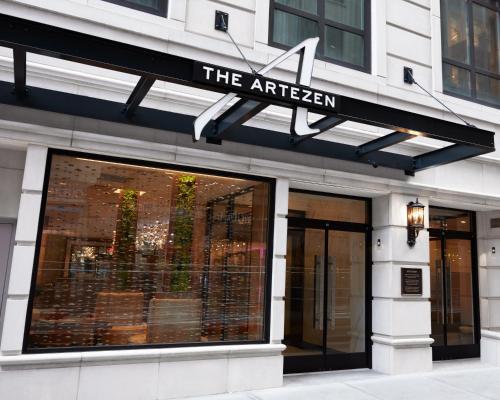
Artezen Hotel

4-star4.7 (983)252–36015 on wifi
$$$

Most business travelers find the Wi-Fi reliable and adequate for daily work. However, a few isolated reviews report sluggish or dropped connections.

#56
3.4/5
Usually fine

Avion Inn Near LGA Airport, an Ascend Collection Hotel

2-star3.6 (1,088)216–33615 on wifi
$$

Complimentary Wi-Fi is available throughout the property. However, recent guest feedback lacks specific details on network speeds or reliability for demanding remote work tasks.

#57
3.4/5
Usually fine

Hotel Le Jolie - A Williamsburg Brooklyn Hotel

3-star4.4 (509)168–25210 on wifi
$$

While speeds are adequate for basic email, business travelers report frequent, brief disconnections. These intermittent drops make the network unsuitable for video calls or VPN use, so carrying a mobile hotspot is advised.

#58
3.3/5
Usually fine

The Fifty Sonesta Hotel New York

4-star4.1 (1,592)163–22920 on wifi
$$Value pick

The connection is strong and reliable for remote work and video calls. However, access is tied to a mandatory daily facility fee, so verify if this is covered by your corporate rate.

Wi-Fi fee
What reviewers say

Works well: Strong, reliable connection suitable for video calls.

#59
3.3/5
Usually fine

Hilton Garden Inn Long Island City New York

3-star4.2 (1,645)184–27017 on wifi
$$

While historical scores are mixed, recent business travelers report reliable connectivity and stable speeds suitable for working in both guest rooms and the lobby.

What reviewers say

Works well: Stable connection in guest rooms; Reliable speeds for business tasks.

#60
3.3/5
Usually fine

Aloft Harlem

3-star4.1 (1,242)177–25216 on wifi
$$

Despite mixed quantitative scores, recent guest narrative consistently highlights the free Wi-Fi as fast and reliable. Business travelers report stable connections suitable for VPN use and video conferencing throughout the property.

What reviewers say

Works well: Stable connection during peak hours; Sufficient bandwidth for video calls and streaming.

#61
3.3/5
Usually fine

Soho Grand Hotel

4-star4.3 (2,394)263–41515 on wifi
$$$

Guests report that the complimentary Wi-Fi is reliable for remote work, easily supporting tasks from in-room desks or the hotel lounge.

#62
3.3/5
Usually fine

Adria Hotel & Conference Center

3-star4.0 (978)207–28314 on wifi
$$

Complimentary internet is provided, with mixed feedback regarding stability; some business travelers report seamless connectivity, while others note occasional drops. Packing a mobile hotspot is advisable if your work requires uninterrupted video conferencing.

#63
3.3/5
Usually fine

Moxy NYC Chelsea

4-star4.2 (1,771)244–38514 on wifi
$$

Business travelers report highly reliable internet speeds that easily support video conferencing and streaming without interruption.

What reviewers say

Works well: Reliable connection for virtual board meetings and video calls.

#64
3.3/5
Usually fine

70 Park Avenue

4-star4.1 (1,390)209–25013 on wifi
$$

Wi-Fi performance receives mixed feedback; while some guests report fast connections suitable for video calls, others experience instability and slow speeds that disrupt remote work.

#65
3.3/5
Usually fine

Hampton Inn Manhattan-Madison Square Garden Area

3-star3.9 (1,695)252–33613 on wifi
$$$

Complimentary Wi-Fi is adequate for basic browsing, but guests report connectivity drops on higher floors and non-functional wired Ethernet ports. A mobile hotspot is recommended as a backup for critical video calls.

What reviewers say

The catch: Unreliable connection on upper floors can disrupt remote work and video calls.

Reported in: Higher floors.

Pro tip: Have a mobile hotspot backup for important remote work

#66
3.3/5
Usually fine

Citadines Connect Fifth Avenue New York

3-star3.8 (1,588)168–25212 on wifi
$$

Business travelers report that the Wi-Fi is reliable and handles streaming and remote work without frustrating drops.

What reviewers say

Works well: Stable connection suitable for working from the room.

#67
3.3/5
Usually fine

Residence Inn New York The Bronx At Metro Center Atrium

3-star4.5 (1,263)189–25212 on wifi
Long-stay$$

The complimentary Wi-Fi is reliable for standard remote work and emails. Guests needing heavy bandwidth for large file transfers or seamless video streaming may need to purchase the premium upgrade.

#68
3.2/5
Usually fine

Holiday Inn Express Manhattan Midtown West by IHG

3-star3.8 (2,183)208–34918 on wifi
$$

Free Wi-Fi is available, but reliability is mixed for business needs. While sufficient for basic browsing, guests report frequent drops and slow speeds in guest rooms that can disrupt video calls.

What reviewers say

The catch: Unreliable connection speeds can directly impact remote work capabilities.

Reported in: Guest rooms.

Pro tip: Have a mobile hotspot as a backup for critical video calls or VPN use.

#69
3.2/5
Usually fine

Hampton Inn Manhattan Grand Central

3-star4.2 (1,711)204–26517 on wifi
$$

The free Wi-Fi is adequate for basic browsing and emails, but guests report spotty signals in certain rooms that can disrupt video conferencing.

#70
3.2/5
Usually fine

Hotel 31

2-star4.1 (838)98–13514 on wifi
$

Complimentary Wi-Fi is adequate for basic browsing and emails. However, guests note occasional slowdowns that may disrupt heavy video conferencing or secure VPN usage.

#71
3.2/5
Usually fine

Broadway Plaza Hotel

4-star4.5 (1,137)181–25714 on wifi
$$

Internet speeds are generally fast and reliable for remote work, though guests note that Wi-Fi incurs a fee unless the room is booked directly through the hotel's website.

Wi-Fi fee
#72
3.2/5
Usually fine

Motto by Hilton New York City Chelsea

4-star4.3 (1,519)214–29012 on wifi
$$

Despite a low volume of direct ratings, remote workers report fast and reliable internet throughout the building. The connection remains stable in both the rooms and the second-floor communal lounge.

What reviewers say

Works well: Reliable connection throughout the property; Stable speeds support remote work in communal areas.

#73
3.2/5
Usually fine

Moxy NYC Downtown

4-star3.9 (1,352)168–25211 on wifi
Downtown$$

Guests consistently report that the free Wi-Fi is fast, stable, and reliable for remote work and video calls, particularly in the third-floor co-working lounge.

What reviewers say

Works well: Fast and reliable connection; Strong performance in common co-working areas.

#74
3.1/5
Usually fine

The Hotel at Fifth Avenue

3-star3.8 (1,977)154–35433 on wifi
$$

Complimentary Wi-Fi performance is inconsistent, with some guests reporting fast speeds suitable for video calls and others experiencing sluggish connections. Signal strength tends to be better in rooms located closer to the elevators or central corridors.

What reviewers say

The catch: Inconsistent speeds can disrupt remote work, occasionally forcing guests to work from the lobby

Worst in: rooms far from elevators, rooms far from central corridors.

Pro tip: Request a room closer to the elevators or central corridors for a stronger signal

#75
3.1/5
Usually fine

The Lucerne Hotel

4-star4.2 (1,200)379–45117 on wifi
$$$

Free Wi-Fi is available throughout the property, but guests report systemic issues with slow speeds and occasional connectivity dropouts. The network is generally unreliable for heavy remote work, video calls, or large downloads.

Often drops
What reviewers say

The catch: Unreliable internet directly impacts remote work capabilities for business travelers.

Reported property-wide.

Pro tip: Bring a mobile hotspot for critical video calls or VPN access.

#76
3.1/5
Usually fine

Hampton Inn Manhattan-35th St/Empire State Bldg

4-star4.2 (1,728)168–25216 on wifi
$$

The complimentary Wi-Fi is reliable and handles standard remote work and video calls well, with no widespread reports of dead zones.

What reviewers say

Works well: Reliable connection for business tasks.

#77
3.1/5
Usually fine

Chelsea Savoy Hotel

4-star4.1 (1,187)210–31115 on wifi
$$

Free Wi-Fi is available in rooms and common areas, though some guests report the connection can occasionally be slow. A mobile hotspot is recommended as a backup for critical video calls.

#78
3.1/5
Usually fine

World Center Hotel

4-star4.2 (1,496)231–30315 on wifi
$$

The complimentary Wi-Fi is reported by remote workers to be reliable and fast enough to handle standard business tasks and video calls without issue.

What reviewers say

Works well: Free and unlimited access throughout the property; Adequate speeds for video conferencing.

#79
3.1/5
Usually fine

The Hotel Chelsea

4-star4.1 (1,187)205–30115 on wifi
$$

Guest feedback indicates inconsistent Wi-Fi performance, with an even split between positive and negative reports regarding connectivity.

#80
3.1/5
Usually fine

Queens Hotel

2-star3.7 (921)105–13912 on wifi
$

Complimentary Wi-Fi is provided, but guest sentiment is split evenly regarding its reliability and speed.

#81
3.1/5
Usually fine

The Manhattan Club

4-star4.3 (2,936)168–25212 on wifi
$$

Free Wi-Fi is provided throughout the property and is reported to be reliable and stable for remote work and video calls.

What reviewers say

Works well: Stable connection in suites; Adequate for video conferencing.

#82
3.1/5
Usually fine

La Quinta Inn & Suites by Wyndham Times Square South

3-star4.4 (902)184–27711 on wifi
Long-stay$$

Feedback on the complimentary Wi-Fi is mixed, with some guests reporting stable speeds and others experiencing systemic drop-offs. Business travelers relying on heavy video calls should carry a mobile hotspot as a backup.

What reviewers say

The catch: Unreliable connection can disrupt remote work and virtual meetings.

Reported in: Guest rooms.

Pro tip: Carry a mobile hotspot for critical video calls or VPN access.

#83
3.1/5
Usually fine

Hotel Shocard

3-star3.8 (702)150–22110 on wifi
$$

Wi-Fi is available throughout the property, though guest feedback is limited and mixed regarding its reliability.

#84
3.0/5
Usually fine

Element New York Times Square West

3-star3.8 (4,755)230–34039 on wifi
$$

Complimentary Wi-Fi is provided, but guests report inconsistent reliability and connection dropouts that can disrupt video calls and VPN access.

What reviewers say

The catch: Unreliable internet directly impacts remote work capabilities.

Reported property-wide.

Pro tip: Bring a mobile hotspot as a backup if a stable connection is critical

#85
3.0/5
Usually fine

Moxy NYC Times Square

4-star4.1 (6,402)161–23032 on wifi
$$

While free Wi-Fi is included in the destination fee, guests report sluggish speeds that struggle with high-bandwidth tasks or video calls. A mobile hotspot is recommended as a backup for critical work.

Wi-Fi fee
#86
3.0/5
Usually fine

Hilton New York Fashion District

4-star3.9 (2,386)215–27630 on wifi
$$

A free standard tier is available, but remote workers frequently report it is too slow for video calls or VPN access. A premium tier is available for around $15 per day, though guests occasionally report erroneous Wi-Fi charges appearing on their final bills.

Wi-Fi fee
#87
3.0/5
Usually fine

Pod Times Square

3-star4.1 (3,183)241–28729 on wifi
$$

Wi-Fi reliability is inconsistent, with speeds sometimes struggling during heavy tasks. The network is unsecured and lacks a premium upgrade option, making a personal VPN essential for handling sensitive corporate data.

What reviewers say

The catch: An unsecured and occasionally slow network is a notable hindrance for business travelers handling sensitive data.

Reported property-wide.

Pro tip: Use a personal VPN for security and have a mobile hotspot as a backup for heavy tasks

#88
3.0/5
Usually fine

voco Times Square South New York by IHG

4-star3.8 (2,376)207–27423 on wifi
$$

Internet connectivity is fast and stable enough for video calls and VPN access. The standard fee is waived by joining the free IHG rewards program.

Wi-Fi fee
What reviewers say

Works well: Stable connection for video calls; Fee waived for IHG rewards members.

#89
3.0/5
Usually fine

The Jewel Hotel, New York

4-star4.4 (1,122)253–30323 on wifi
$$$

While Wi-Fi is free and generally functional for basic tasks, business travelers report mixed reliability, with some noting speeds are too slow for stable VPN access or video calls. Having a mobile hotspot as a backup is recommended.

What reviewers say

The catch: Can directly impact remote work and video conferencing capabilities

Reported in: Guest rooms.

Pro tip: Work from the second-floor lounge for a potentially more reliable connection, or use a personal hotspot

#90
3.0/5
Usually fine

Holiday Inn Express New York City Times Square by IHG

3-star3.5 (2,144)208–25322 on wifi
$$

The complimentary Wi-Fi receives polarized feedback, with some guests praising its fast setup while others report dropped connections and dead zones.

What reviewers say

The catch: MODERATE: Unreliable connection speeds can disrupt remote work and video conferencing.

Reported in: rooms with dead zones.

Pro tip: Request a room closer to the elevators or bring a mobile hotspot as a backup for critical video calls.

#91
3.0/5
Usually fine

The Leo House

2-star4.0 (914)144–24222 on wifi
$

Wi-Fi is generally reliable with dedicated routers in each room, though some guests report sluggish speeds that may struggle with heavy video conferencing.

#92
3.0/5
Usually fine

Hotel Stanford

3-star4.0 (1,109)272–43421 on wifi
$$$

The complimentary Wi-Fi is reliable for standard business tasks like email and web browsing. While guests do not report systemic outages or dropped signals, specific speeds for heavy video conferencing are not detailed in recent feedback.

#93
3.0/5
Usually fine

LIC Hotel

3-star4.4 (1,407)117–21721 on wifi
$

The free Wi-Fi is functional for basic browsing and standard connectivity, but may struggle with heavy bandwidth tasks or demanding remote work. Guests report the strongest signal is found in the lobby.

What reviewers say

The catch: MODERATE: Connection is stable for basics but unreliable for heavy business tasks.

Reported property-wide.

Pro tip: Work from the lobby for the strongest signal or download large files during off-peak hours

#94
3.0/5
Usually fine

Courtyard by Marriott New York Manhattan/Times Square

3-star4.1 (1,637)234–30321 on wifi
$$

The complimentary Wi-Fi is generally reliable for basic tasks, though standard speeds may occasionally struggle with heavy video calls. Guests with loyalty-tier upgraded access report significantly better stability for remote work.

What reviewers say

Works well: Upgraded loyalty-tier internet provides excellent speeds for remote work.

#95
3.0/5
Usually fine

Four Points by Sheraton Midtown - Times Square

3-star4.1 (2,285)212–25521 on wifi
$$

Recent reports indicate systemic issues with slow internet speeds that cause buffering and lag. Remote workers should carry a mobile hotspot as a reliable backup for critical tasks.

What reviewers say

The catch: Unreliable connectivity directly impacts in-room productivity for business travelers.

Reported property-wide.

Pro tip: Bring a mobile hotspot for reliable video calls or large downloads.

#96
3.0/5
Usually fine

La Quinta Inn & Suites by Wyndham Brooklyn Downtown

2-star3.6 (979)167–20217 on wifi
DowntownLong-stay$$

Guests report that the complimentary Wi-Fi is reliable in both rooms and public areas, successfully supporting VPN access and video conferencing.

What reviewers say

Works well: Reliable connection for remote work and VPNs.

#97
3.0/5
Usually fine

Executive Hotel Le Soleil New York

4-star4.5 (2,308)252–31217 on wifi
$$$

Free Wi-Fi is provided, but performance is frequently described as sluggish, with speeds around 4 Mbps that struggle to support video calls. Have a mobile hotspot ready as a backup if you require reliable bandwidth for work.

Often drops
What reviewers say

The catch: CRITICAL: Unreliable internet directly impacts business travelers needing video calls or large file transfers.

Reported property-wide.

Pro tip: Carry a mobile hotspot for critical video calls or large file transfers

#98
3.0/5
Usually fine

Opera House Hotel

3-star4.4 (1,411)169–21417 on wifi
$$

Connectivity reports are mixed, with some business travelers experiencing unexpected drops or paywalls. It is advisable to carry a mobile hotspot if your work requires heavy bandwidth or stable VPN access.

What reviewers say

The catch: Unreliable internet directly impacts remote work capabilities for business travelers.

Reported property-wide.

Pro tip: Pack a mobile hotspot as a backup for critical remote work

#99
3.0/5
Usually fine

Hotel NoMa, Trademark Collection by Wyndham

3-star3.9 (1,898)168–25216 on wifi
$$

Complimentary internet is adequate for basic browsing and email. However, guests report occasional instability and dead zones, making it potentially unreliable for heavy video conferencing.

#100
3.0/5
Usually fine

Arlo Midtown

4-star4.4 (1,950)215–29815 on wifi
$$

While adequate for basic tasks, the Wi-Fi network can suffer from overnight drops and struggles with heavy streaming. Since it is bundled into a mandatory daily destination fee, business travelers requiring uninterrupted VPN access should carry a mobile hotspot as a backup.

Wi-Fi fee
What reviewers say

The catch: Unreliable connectivity directly impacts remote work capabilities.

Reported property-wide.

Pro tip: Carry a mobile hotspot for critical video calls or VPN access

Skip the guesswork. Tell Otto what matters.

Otto is an AI travel agent that finds and books the hotel you want, on policy and on budget, in one chat. Ask for wifi that survives video calls and Otto factors it in. Free for your first year.

Book a New York hotel with Otto

How the work-wifi score works

Read from real reviews

Otto's insight engine reads guest reviews and pulls out only what they say about wifi for actual work, not a “free wifi” checkbox.

Scored 1–5, recency-weighted

Each hotel gets a 1–5 work-wifi score weighted toward recent stays, and is ranked only after 10+ reviews mention wifi, so the score reflects evidence, not vibes.

The detail OTAs hide

We surface speed vs. reliability, floor and area dead zones, recent infra upgrades, paid tiers, and a concrete workaround for each property.

A score of 3.0 means “reliable enough for video calls.” We call 3.5+ work-ready, 3.03.4 usually fine (with minor catches), and anything below 3.0 bring a hotspot.

New York hotel wifi FAQ

Which New York hotel has the best wifi for video calls?
Club Quarters Hotel Grand Central, New York ranks first for work wifi in New York, with a 4.3/5 work-wifi score from 26 guest reviews that mention wifi. Internet connectivity is a major strength, with fast, reliable Wi-Fi easily supporting video calls throughout the property. Rooms also feature Ethernet ports for secure, hardwired VPN connections.
How is the work-wifi score calculated?
The score (1–5) comes from Otto's review-insight engine, which reads guest reviews and isolates what they say about wifi for real work: speed, reliability on video calls and VPN, dead zones by floor or area, recent upgrades, and whether there's a fee. It is recency-weighted, and a hotel is only ranked once it has at least 10 wifi mentions, so every score rests on real evidence.
Do New York hotels charge for wifi?
Of the 100 ranked New York hotels, 10 have a paid wifi tier or daily fee reported in reviews. The fee is often waived if you book direct or attach a loyalty number. Each hotel below shows the specific workaround when reviewers mention one.
What does "work-ready" mean?
Work-ready hotels score 3.5 or higher: guests consistently report wifi fast and stable enough for back-to-back video calls, VPN, and a full day's work. Hotels below 3.0 draw frequent complaints, so we flag them "bring a hotspot" (carry a mobile hotspot as backup).