Can you take the call?

Best Washington hotels for wifi that survives a video call

In Washington, Club Quarters Hotel White House, Washington DC tops our ranking with a 4.0/5 work-wifi score from 25 guest reviews that mention the connection. We read reviews for 103 Washington, District of Columbia hotels with Otto's insight engine and scored each on work-wifi reliability: speed, drop-outs, dead zones, and hidden fees. Here are the 40 with enough evidence to rank.

Ranked hotels
40
≥ 10 wifi mentions
Work-ready
6
Score 3.5+
Bring a hotspot
21
Score under 3.0
Wi-Fi fee reported
10
Often waived on direct

Showing 40 of 40 ranked Washington hotels · scored from 103 properties with ≥ 10 wifi mentions

#1
4.0/5
Work-ready

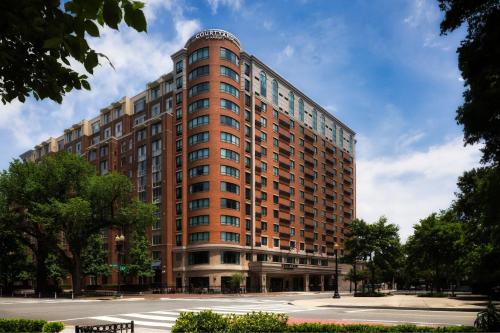
Club Quarters Hotel White House, Washington DC

3-star3.9 (1,742)110–17725 on wifi
$Value pick

The complimentary Wi-Fi is fast and highly reliable throughout the property. The connection easily supports demanding business tasks, including VPN access and seamless video conferencing, particularly in the dedicated second-floor workspace.

What reviewers say

Works well: Stable connection suitable for video calls; Strong signal in the Club Living Room co-working space.
#2
4.0/5
Work-ready

Motto by Hilton Washington DC City Center

4-star4.3 (2,826)86–22124 on wifi
$Value pick

The complimentary Wi-Fi provides strong, reliable speeds capable of supporting video calls and VPNs. Because the micro-rooms lack traditional ergonomic desks, travelers often take their laptops to the lobby or cafe spaces to work.

#3
4.0/5
Work-ready

Hampton Inn Washington-Downtown-Convention Center

3-star4.1 (2,012)168–25214 on wifi
Downtown$$

The complimentary Wi-Fi is fast and reliable. Connections easily support remote work, video conferencing, and VPN usage without the need for a mobile hotspot.

What reviewers say

Works well: Stable speeds for video calls.

#4
4.0/5
Work-ready

HighRoad Hotel

2-star4.8 (934)79–10712 on wifi
$Value pick

The complimentary Wi-Fi is fast and reliable throughout the property. The connection easily supports video calls and remote work from both private rooms and communal spaces.

What reviewers say

Works well: Reliable speeds for video calls; Strong signal in communal workspaces.

#5
3.5/5
Work-ready

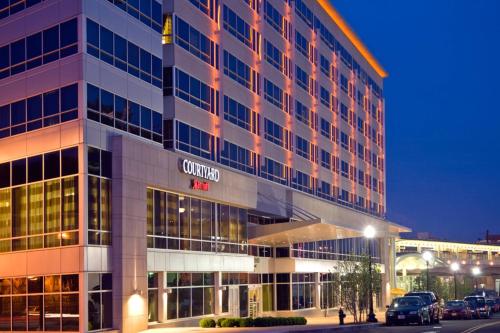
Courtyard by Marriott Washington Capitol Hill/Navy Yard

3-star4.1 (1,210)168–25211 on wifi
Capitol Hill$$

The complimentary network is reliable for standard remote work, VPN access, and video calls. The lobby provides ample workspace with strong connectivity for those needing an alternative to the room desk.

#6
3.5/5
Work-ready

Hotel Hive

3-star4.5 (1,293)119–15810 on wifi
$Value pick

The internet connection is generally sufficient for basic browsing, but speeds can be noticeably slow. Travelers relying on heavy VPN usage or seamless video calls should have a mobile hotspot as a backup.

What reviewers say

The catch: Occasional bandwidth limitations disrupt heavy business tasks.

Reported property-wide.

Pro tip: Carry a mobile hotspot for heavy bandwidth needs

#7
3.4/5
Usually fine

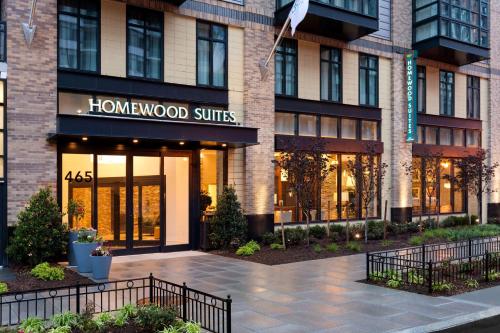
Homewood Suites by Hilton Washington, D.C. Downtown

3-star4.1 (1,209)146–19513 on wifi
DowntownLong-stay$

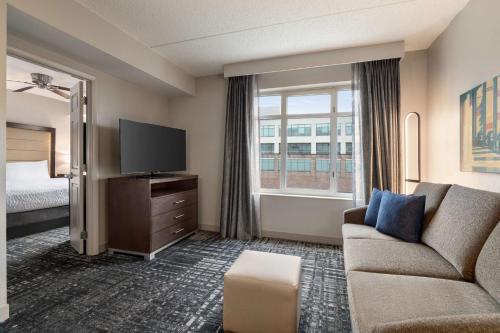
Complimentary Wi-Fi is available throughout the property. Guest feedback lacks specific details on connection speeds or reliability for high-bandwidth tasks like video calls.

#8
3.3/5
Usually fine

Phoenix Park Hotel

3-star4.4 (2,187)134–18720 on wifi
$Value pick

Wi-Fi is included in the mandatory daily facility fee, but connection speeds are a frequent complaint. The network can be slow and unreliable, with reports of dropped video calls and spotty VPN performance.

Wi-Fi fee
What reviewers say

The catch: Unreliable connectivity directly impacts remote work capabilities.

Reported property-wide.

Pro tip: Bring a mobile hotspot as a backup for critical remote work

#9
3.2/5
Usually fine

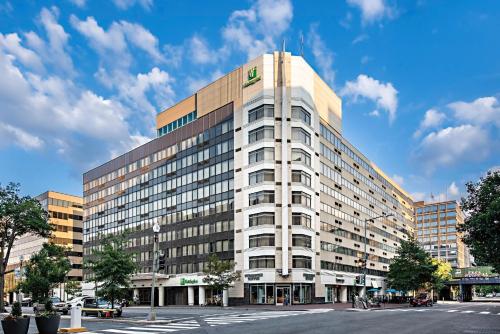
Holiday Inn Washington Capitol - Natl Mall by IHG

3-star4.1 (4,706)59–24633 on wifi
$

Complimentary Wi-Fi is provided. Guest feedback indicates mixed reliability, with a few reports of connectivity issues.

#10
3.2/5
Usually fine

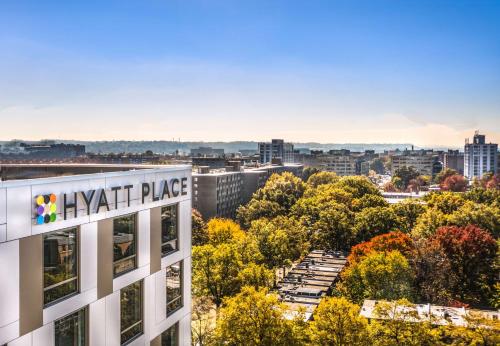
Hyatt Place Washington DC/White House

3-star4.1 (1,515)109–22617 on wifi
$

Complimentary Wi-Fi is available throughout the building. While generally adequate for basic browsing, there are mixed reports regarding connection stability and occasional session timeouts.

#11
3.1/5
Usually fine

Hyatt Place Washington DC/National Mall

3-star4.1 (2,133)80–30721 on wifi
$

Complimentary Wi-Fi is available throughout the property, but reliability is mixed. While some remote workers experience stable speeds suitable for video calls, others report intermittent drops and poor bandwidth, with no premium paid tier available to upgrade.

Wi-Fi fee
#12
3.1/5
Usually fine

Hyatt Place Washington DC/US Capitol

3-star3.6 (2,222)91–15017 on wifi
$

The complimentary internet network is stable and provides adequate speeds for standard remote work, including VPN access and video conferencing.

What reviewers say

Works well: Stable connectivity suitable for video calls and VPN use.

#13
3.0/5
Usually fine

State Plaza Hotel

3-star4.3 (1,775)106–16021 on wifi
$

Internet reliability is a systemic issue at this property, with connection speeds dropping as low as five megabits per second. The network is frequently unstable for video calls or virtual private network access.

Often drops
What reviewers say

The catch: Unreliable connectivity directly impacts remote work capabilities.

Reported property-wide.

Pro tip: Bring a dedicated mobile hotspot for remote work and video conferencing

#14
3.0/5
Usually fine

The Ven at Embassy Row, Washington, D.C., a Tribute Portfolio Hotel

4-star4.1 (1,624)147–20719 on wifi
$

Complimentary Wi-Fi is available throughout the property, with sufficient bandwidth for video conferencing and VPN use. The lobby provides spacious seating areas well-suited for remote work.

#15
3.0/5
Usually fine

Hilton Garden Inn Washington DC/Georgetown Area

3-star4.1 (1,689)125–17112 on wifi
$

In-room and common-area Wi-Fi is consistently reliable. The network easily supports VPN access and video calls without requiring premium upgrades.

What reviewers say

Works well: Seamless connectivity for remote work and video calls.

#16
3.0/5
Usually fine

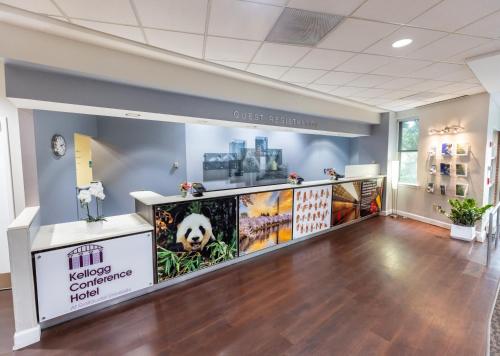
Kellogg Conference Hotel Capitol Hill at Gallaudet

3-star4.1 (1,039)130–17212 on wifi
Capitol Hill$

Complimentary Wi-Fi is available throughout the property, but connection speeds are a recurring complaint. The network is frequently described as slow or unreliable for VPN access and video conferencing.

What reviewers say

The catch: Network speeds are frequently insufficient for standard business tasks like video calls.

Reported property-wide.

Pro tip: Carry a mobile hotspot if reliable high-speed internet is required for work.

#17
3.0/5
Usually fine

Ivy City Hotel

2-star3.2 (786)82–9610 on wifi
$

The complimentary Wi-Fi is generally reliable and stable enough for standard remote work and emails.

What reviewers say

Works well: Reliable connection for basic work tasks.

#18
3.0/5
Usually fine

Kimpton Hotel Monaco Washington DC

4-star4.2 (1,605)129–31310 on wifi
$

Basic Wi-Fi is complimentary. The network is rarely mentioned in guest feedback, though a few reports suggest speeds may be underwhelming for heavy remote work.

#19
3.0/5
Usually fine

Residence Inn by Marriott Washington, DC Downtown

3-star4.3 (1,201)168–25210 on wifi
DowntownLong-stay$$

Internet reliability is inconsistent, with reports of sluggish speeds even on premium tiers. Have a mobile hotspot ready for crucial video calls.

Wi-Fi fee
What reviewers say

The catch: A recurring but low-volume complaint regarding connection speeds.

Reported property-wide.

Pro tip: Rely on a personal cellular hotspot for high-bandwidth tasks.

#20
2.9/5
Bring a hotspot

Residence Inn by Marriott Washington, DC National Mall

3-star4.2 (1,392)148–26719 on wifi
Long-stay$

Complimentary Wi-Fi is provided throughout the property, though a notable multi-day outage in late 2024 affected both guest rooms and the business center. Remote workers should carry a mobile hotspot as a backup for critical virtual meetings.

What reviewers say

The catch: A documented multi-day outage disrupted connectivity for remote workers.

Reported property-wide.

Pro tip: Carry a mobile hotspot as a backup for critical virtual meetings

#21
2.9/5
Bring a hotspot

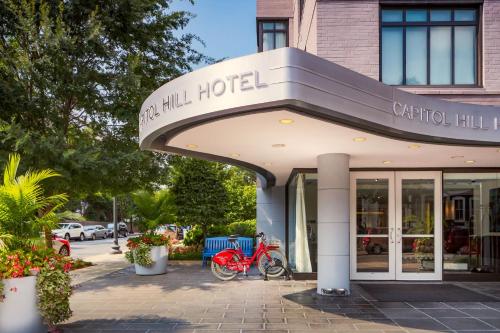
Capitol Hill Hotel

3-star4.4 (1,395)98–19914 on wifi
Capitol Hill$

Wi-Fi is provided throughout the property and is generally adequate for standard browsing. Feedback on connection speeds for heavy remote work or video conferencing is mixed.

#22
2.8/5
Bring a hotspot

Duo Housing

2-star4.0 (947)85–14840 on wifi
$

Wi-Fi performs reliably in the communal lounges and study areas, but the signal frequently drops or weakens in certain dorm rooms, particularly on higher floors.

Often drops
What reviewers say

The catch: Systemic connectivity drops in dorm rooms disrupt remote work.

Reported in: Dorm rooms, Higher floors.

Pro tip: Work from the communal lounges or bring a personal mobile hotspot for reliable in-room access.

#23
2.8/5
Bring a hotspot

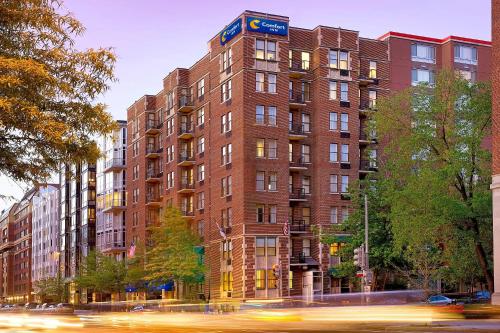
Comfort Inn Downtown DC/Convention Center

2-star3.8 (1,279)95–24523 on wifi
Downtown$

Complimentary Wi-Fi is provided, but connectivity is a frequent complaint.

What reviewers say

The catch: Frequent complaints regarding network reliability.

Reported property-wide.

Pro tip: Have a mobile hotspot available for critical work tasks.

#24
2.8/5
Bring a hotspot

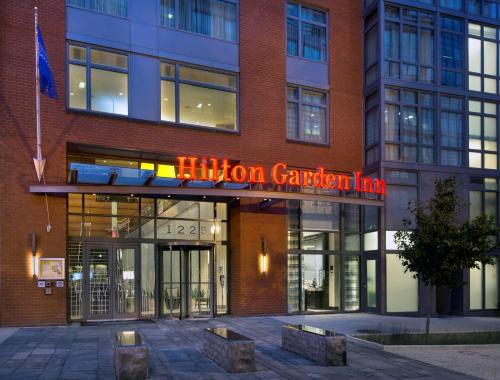
Hilton Garden Inn Washington DC/U.S. Capitol

3-star3.8 (2,030)93–14815 on wifi
$

The in-room and common-area Wi-Fi is generally reliable and sufficient for standard remote work, including VPN access and video calls.

#25
2.7/5
Bring a hotspot

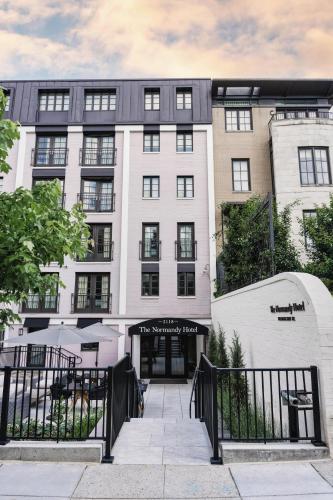
The Normandy Hotel

3-star3.8 (879)65–11626 on wifi
$

In-room and common-area internet access is provided. While generally adequate for basic browsing, connection speeds can be slow and unreliable during peak daytime hours.

What reviewers say

The catch: Recurring reports of slow or dropped connections during daytime hours.

Reported property-wide.

#26
2.7/5
Bring a hotspot

Holiday Inn Washington-Central/White House by IHG

3-star4.1 (1,971)107–15019 on wifi
$

Complimentary Wi-Fi is provided, but connectivity issues are a frequent complaint.

What reviewers say

The catch: A frequent complaint regarding network reliability.

Reported property-wide.

#27
2.7/5
Bring a hotspot

Kimpton George Hotel

4-star4.3 (1,097)119–19817 on wifi
$

Standard Wi-Fi is available throughout the property, with upgraded bandwidth tied to a mandatory daily facilities fee. Connection reliability is mixed, with some remote workers experiencing dropped signals during video calls.

Wi-Fi fee
What reviewers say

The catch: Inconsistent speeds and dropped connections disrupt remote work.

Reported property-wide.

Pro tip: Carry a mobile hotspot as a backup for critical video calls.

#28
2.7/5
Bring a hotspot

Hotel Madera

4-star4.2 (924)106–19516 on wifi
$

Internet connectivity is mixed, with some guests experiencing seamless service and others reporting speeds too slow for video calls. Access is covered by a mandatory daily amenity fee.

Wi-Fi fee
What reviewers say

The catch: Inconsistent speeds can disrupt remote work, compounded by the mandatory fee.

Reported property-wide.

Pro tip: Have a mobile hotspot available as a backup for critical video calls.

#29
2.7/5
Bring a hotspot

The Darcy

4-star4.3 (1,624)116–16015 on wifi
$

Internet access is functional for basic browsing and streaming. The service is tied to a mandatory daily destination fee rather than being complimentary.

Wi-Fi fee
#30
2.7/5
Bring a hotspot

Courtyard by Marriott Washington, DC/U.S. Capitol

3-star3.9 (1,571)97–14211 on wifi
$

Complimentary Wi-Fi is available throughout the property and generally supports standard remote work needs like video calls and VPN access. A premium speed upgrade is available for an additional fee, though standard speeds occasionally slow down during peak evening hours.

Wi-Fi fee
What reviewers say

The catch: Evening bandwidth slowdowns are a recurring issue for working travelers.

Reported property-wide.

Pro tip: Consider the premium speed upgrade if handling large files during evening hours.

#31
2.6/5
Bring a hotspot

JW Marriott Washington, DC

4-star4.4 (4,250)234–30757 on wifi
$$

Internet access requires a daily fee for guests who are not members of the hotel's loyalty program. Remote workers report that the connection can be slow and unreliable, with occasional drops that disrupt productivity.

Wi-Fi fee
What reviewers say

The catch: Unreliable speeds and connectivity drops directly disrupt remote work.

Reported property-wide.

Pro tip: Have a mobile hotspot available as a backup for critical video calls.

#32
2.6/5
Bring a hotspot

Homewood Suites by Hilton Washington DC Convention Center

3-star4.1 (1,378)168–25221 on wifi
Long-stay$$

Wi-Fi performance is mixed; while some travelers find the complimentary network sufficient for basic tasks, others report dropped connections in rooms and common areas. Business travelers requiring uninterrupted video calls should carry a mobile hotspot as a backup.

What reviewers say

The catch: Dropped connections can disrupt remote work, though the network functions adequately for basic browsing.

Reported in: guest rooms, common areas.

Pro tip: Carry a personal mobile hotspot for critical video calls or VPN access.

#33
2.6/5
Bring a hotspot

Le Méridien Washington, D.C., The Madison

4-star4.2 (2,509)163–21020 on wifi
$$

The property provides free Wi-Fi that supports standard browsing. However, connection speeds occasionally drop significantly, which can disrupt video conferencing.

What reviewers say

The catch: Inconsistent speeds can disrupt remote work and video calls.

Reported property-wide.

Pro tip: Keep a mobile hotspot available as a backup for critical bandwidth-heavy tasks.

#34
2.6/5
Bring a hotspot

The River Inn

4-star4.5 (1,032)111–15713 on wifi
$

Complimentary internet is available throughout the property, but connection speeds are a frequent complaint. While adequate for basic emails, the bandwidth struggles with heavy video conferencing or large file uploads.

What reviewers say

The catch: Bandwidth limitations frequently disrupt video calls and large downloads.

Reported property-wide.

Pro tip: Bring a mobile hotspot if heavy video conferencing is required

#35
2.5/5
Bring a hotspot

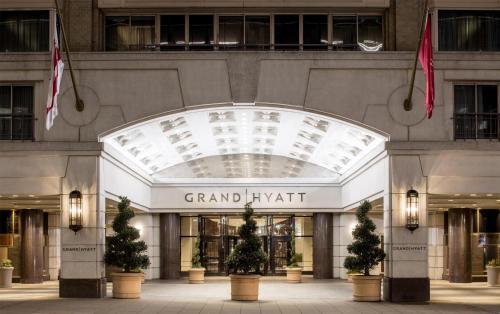
Grand Hyatt Washington

4-star4.4 (5,849)182–32655 on wifi
$$

Internet connectivity is a frequent complaint, with speeds often proving too slow or inconsistent for reliable video calls and heavy remote work. The Wi-Fi is bundled into a mandatory daily destination fee, making the subpar performance a recurring frustration.

Wi-Fi fee
What reviewers say

The catch: MODERATE: recurring connectivity drops that disrupt remote work.

Reported in: Guest rooms.

Pro tip: Have a mobile hotspot available as a backup for critical video calls.

#36
2.5/5
Bring a hotspot

Hilton Garden Inn Washington DC Downtown

3-star4.1 (2,528)168–25231 on wifi
Downtown$$

Complimentary Wi-Fi is available throughout the property, but reliability is mixed. While many find it sufficient for standard use, a notable portion of users report connectivity drops and slow speeds during peak evening hours.

What reviewers say

The catch: Mixed reliability with recurring reports of dropped connections disrupting remote work

Reported property-wide.

Pro tip: Have a mobile hotspot as a backup for critical video calls

#37
2.5/5
Bring a hotspot

Melrose Georgetown Hotel

4-star4.3 (1,885)168–25225 on wifi
$$

Basic Wi-Fi is complimentary but frequently struggles with demanding tasks like video calls. The network is unsecured, and upgrading to a faster, more reliable connection requires paying an additional daily fee.

Wi-Fi fee
What reviewers say

The catch: Slow speeds and an unsecured network directly impact remote work capabilities.

Reported property-wide.

Pro tip: Use a VPN for sensitive work, and consider paying for the premium upgrade or using a mobile hotspot for video meetings.

#38
2.5/5
Bring a hotspot

Architect Hotel

3-star3.7 (658)76–15013 on wifi
$

Internet reliability is a frequent complaint, with the complimentary network experiencing intermittent drops. The connection is generally sufficient for basic email but struggles to support remote work, VPNs, or video calls.

What reviewers say

The catch: Intermittent drops disrupt remote work and video calls

Reported property-wide.

Pro tip: Rely on a personal mobile hotspot for critical connectivity needs

#39
2.5/5
Bring a hotspot

The LINE DC

5-star4.3 (2,213)95–18312 on wifi
$

Complimentary Wi-Fi is provided, though connectivity issues are a recurring complaint.

What reviewers say

The catch: Frequent reports of unreliable internet connections.

Reported property-wide.

#40
2.4/5
Bring a hotspot

Hamilton Hotel

4-star4.1 (3,324)189–25235 on wifi
$$

Wi-Fi is available throughout the property, though connectivity and speed are frequent sources of frustration.

What reviewers say

The catch: Frequent complaints regarding connectivity and speed hinder business productivity.

Reported property-wide.

Pro tip: Have a mobile hotspot available for critical work tasks.

Skip the guesswork. Tell Otto what matters.

Otto is an AI travel agent that finds and books the hotel you want, on policy and on budget, in one chat. Ask for wifi that survives video calls and Otto factors it in. Free for your first year.

Book a Washington hotel with Otto

How the work-wifi score works

Read from real reviews

Otto's insight engine reads guest reviews and pulls out only what they say about wifi for actual work, not a “free wifi” checkbox.

Scored 1–5, recency-weighted

Each hotel gets a 1–5 work-wifi score weighted toward recent stays, and is ranked only after 10+ reviews mention wifi, so the score reflects evidence, not vibes.

The detail OTAs hide

We surface speed vs. reliability, floor and area dead zones, recent infra upgrades, paid tiers, and a concrete workaround for each property.

A score of 3.0 means “reliable enough for video calls.” We call 3.5+ work-ready, 3.03.4 usually fine (with minor catches), and anything below 3.0 bring a hotspot.

Washington hotel wifi FAQ

Which Washington hotel has the best wifi for video calls?
Club Quarters Hotel White House, Washington DC ranks first for work wifi in Washington, with a 4.0/5 work-wifi score from 25 guest reviews that mention wifi. The complimentary Wi-Fi is fast and highly reliable throughout the property. The connection easily supports demanding business tasks, including VPN access and seamless video conferencing, particularly in the dedicated second-floor workspace.
How is the work-wifi score calculated?
The score (1–5) comes from Otto's review-insight engine, which reads guest reviews and isolates what they say about wifi for real work: speed, reliability on video calls and VPN, dead zones by floor or area, recent upgrades, and whether there's a fee. It is recency-weighted, and a hotel is only ranked once it has at least 10 wifi mentions, so every score rests on real evidence.

Do Washington hotels charge for wifi?
Of the 40 ranked Washington hotels, 10 have a paid wifi tier or daily fee reported in reviews. The fee is often waived if you book direct or attach a loyalty number. Each hotel below shows the specific workaround when reviewers mention one.
What does "work-ready" mean?
Work-ready hotels score 3.5 or higher: guests consistently report wifi fast and stable enough for back-to-back video calls, VPN, and a full day's work. Hotels below 3.0 draw frequent complaints, so we flag them "bring a hotspot" (carry a mobile hotspot as backup).